
Should Your App Adopt Passkeys?
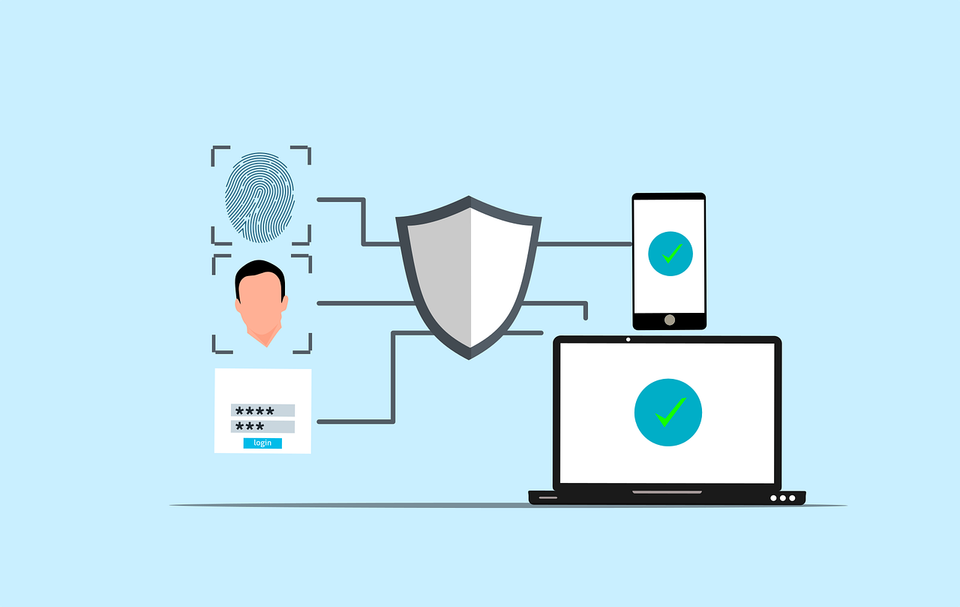
Someone on your leadership team asked a reasonable question: should we adopt passkeys?
You searched for answers and found implementation tutorials - WebAuthn server libraries, credential storage schemas, ceremony diagrams. They assume you've already decided. None of that helps you answer the question you were actually asked.
This article is a decision guide. The question isn't how to implement passkey login. It's whether you should, when the timing makes sense, and for which users first. Implementation details matter eventually - but they don't belong at the front of the decision.
You've seen Apple's demos and Google's Chrome nudges. Your security team may have sent a memo about phishing-resistant authentication. You know the term. What you don't have is a clear way to evaluate whether passkeys fit your product, your users, and your team's capacity to ship and support them.
By the end of this article, you'll have scored your app against a readiness checklist, mapped show-stoppers that can block adoption, and drafted a one-page recommendation for leadership.
Plain Terms: Passkeys, Passwords, and MFA
Before scoring your app, you and stakeholders need to mean the same thing when you say "passkey", "password", and "MFA". Vendor decks use these loosely. A PM might say "passkeys replace passwords" while security means "phishing-resistant credentials". Both can be true.
Passwords are shared secrets the user types; your server checks a hash. They leak via breaches and phishing sites. Users forget them, reuse them, and call support.
MFA adds a second factor - app push, SMS, hardware key, or biometric. It cuts credential-stuffing and many phishing attacks, but adds friction, lost-device tickets, and cross-platform complexity.
Passkeys are cryptographic key pairs on the user's device. The private key never leaves the device or synced passkey manager. Sign-in means unlocking with biometrics or a PIN; your server stores only the public key and verifies a signature. On web, the browser handles the ceremony (the sign-in handshake between browser, OS, and server) - the user sees a system prompt, not your form. On mobile, Face ID or fingerprint unlocks the credential.
Your team needs WebAuthn support (the web standard passkeys build on). Password reset flows become less central; support handles different questions - "I got a new phone" replaces "I forgot my password", but isn't necessarily easier.
Passkeys and MFA: Passkeys often are MFA - something you have (the device key) plus something you are or know (biometric/PIN). For many consumer apps, a passkey beats password plus SMS. In regulated contexts you may still want step-up auth. The question isn't "passkeys or MFA" - it's which combination fits your threat model.
What Passkeys Fix (and Don't)
What improves: Phishing and credential-stuffing. A fake login page can't harvest a passkey - the credential is bound to your app's origin, not a reusable secret. If your threat model includes phishing or password reuse, passkeys address real attacks that SMS MFA struggles to stop.
What doesn't change: Stolen session tokens, malware on the device, coerced unlocks, insider threats, and support social engineering. Passkeys shift the attack surface; they don't eliminate it.
"More secure" isn't a shipping criteria. You can adopt passkeys and still fail on recovery, cross-device sync, browser coverage, or support capacity. A rollout that locks users out is its own security incident.
When presenting upstream, lead with risk reduction, then gaps. A useful framing: "Passkeys eliminate phishing and credential-stuffing for users who adopt them. They don't protect compromised sessions or untested recovery. We'd need X engineering weeks, Y support training, and a phased rollout starting with Z segment".
That sentence gives leadership a decision, not a sermon. Your security colleagues will respect the nuance; your product colleagues need it to plan. Avoid claiming passkeys "solve authentication" - they solve specific authentication failures.
Don't oversell to get approval - security enthusiasm has killed projects that hit recovery and SSO blockers nobody mentioned. Users adopt passkeys when login works smoothly across their devices, not because they're cryptographically sound.
UX Reality
This is where most passkey decisions should start: what does the experience feel like for your users, not Apple's demo audience?
Registration: Creating a passkey happens at sign-up or when you prompt an existing user. The OS shows a system dialog - not your branded modal - asking for Face ID, fingerprint, or PIN. If they dismiss it, you need a fallback that doesn't punish them. Rollouts fail when the prompt appears before trust is established or without "skip for now". On mobile, registration feels seamless if users already unlock with biometrics. On desktop, it depends on platform passkey managers, QR handoff from a phone, or a plugged-in security key. Test on the device your users actually own - not just your MacBook.
Sign-in: Faster than typing a password - when it works. Web browsers offer passkey autofill or a separate path; users may pick which device holds the credential. Mobile delegates to the OS. Web users hit browser gaps and cross-device confusion; mobile users hit reinstalls and platform switches ("my passkey was in iCloud"). Neither platform guarantees the vendor-demo flow.
Cross-device sync: Passkeys live in iCloud Keychain, Google Password Manager, 1Password, or a hardware key with no sync. Synced credentials roam across devices on the same account; device-bound ones stay on one machine. A passkey on iPhone may appear on iPad automatically but not on a work Windows laptop - and the user may not expect that. Roaming credentials (synced via platform cloud) behave differently from device-bound credentials scoped to a single authenticator. You don't implement sync; you understand what your users' devices and managers will and won't do, and set expectations accordingly.
Friction that kills adoption: new device without sync; lost phone with sync disabled; shared computers (family PC, library kiosk) where personal biometrics don't fit; enterprise users refusing to store work credentials in personal iCloud. Walk through these scenarios with your team before writing a launch date.
Ask about your audience: What percentage sign in mobile vs web? Multiple devices or one? Shared devices? Will they understand "use your passkey on your phone to sign in here"? Mobile-first audiences on recent iOS/Android get good UX today. Web-heavy, heterogeneous audiences need more fallbacks and slower adoption.
Reality-check: Walk through registration and sign-in on your oldest supported device, then on a family member's phone without explaining the steps.
Readiness Checklist - Score Your App
Turn everything above into a number you can defend in a meeting.
Score each item 0 (gap, no plan), 1 (planned/untested), or 2 (verified in staging or production). Weight make-or-break items 2× - mobile-heavy products weight device mix; web-first products weight browser coverage; B2B weights recovery and fallbacks. Example: raw score 11, but recovery (0) and browser coverage (1) are 2× for your web-first app — treat as yellow, not a low green.
Score yourself now; 10 minutes.