Build a Terminal Disk Analyzer in Python with Textual
You've been there. CI is slow, the build server is running low on space, and df -h tells you the disk is 94% full - but not why.
You du -sh * your way through a few directories, mentally add up the numbers, and eventually find the culprit: six months of accumulated .venv folders, a Docker layer cache that got out of hand, or a node_modules directory that somehow outlived the project that created it.
It's not a disaster. It's just friction - the kind that adds up.
ncdu is a tool that makes this painless. It scans a directory tree, ranks everything by size, and lets you navigate and delete without ever leaving the terminal. If you're on a remote server or inside a container, it should be the first thing you reach for.
In this article, you'll build your own version in Python, called pydusk, using the textual TUI framework. It's a practical project - useful on its own - and a good way to get hands-on with Textual's core patterns: background workers, modal screens, reactive state, and a clean "state → render" loop.
What We're Building
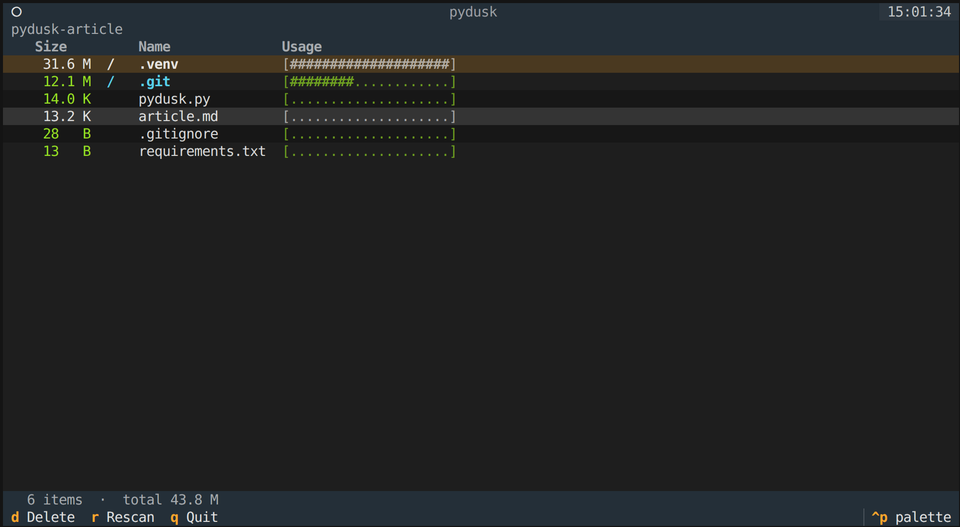
pydusk is a keyboard-driven (with mouse support) terminal application that:
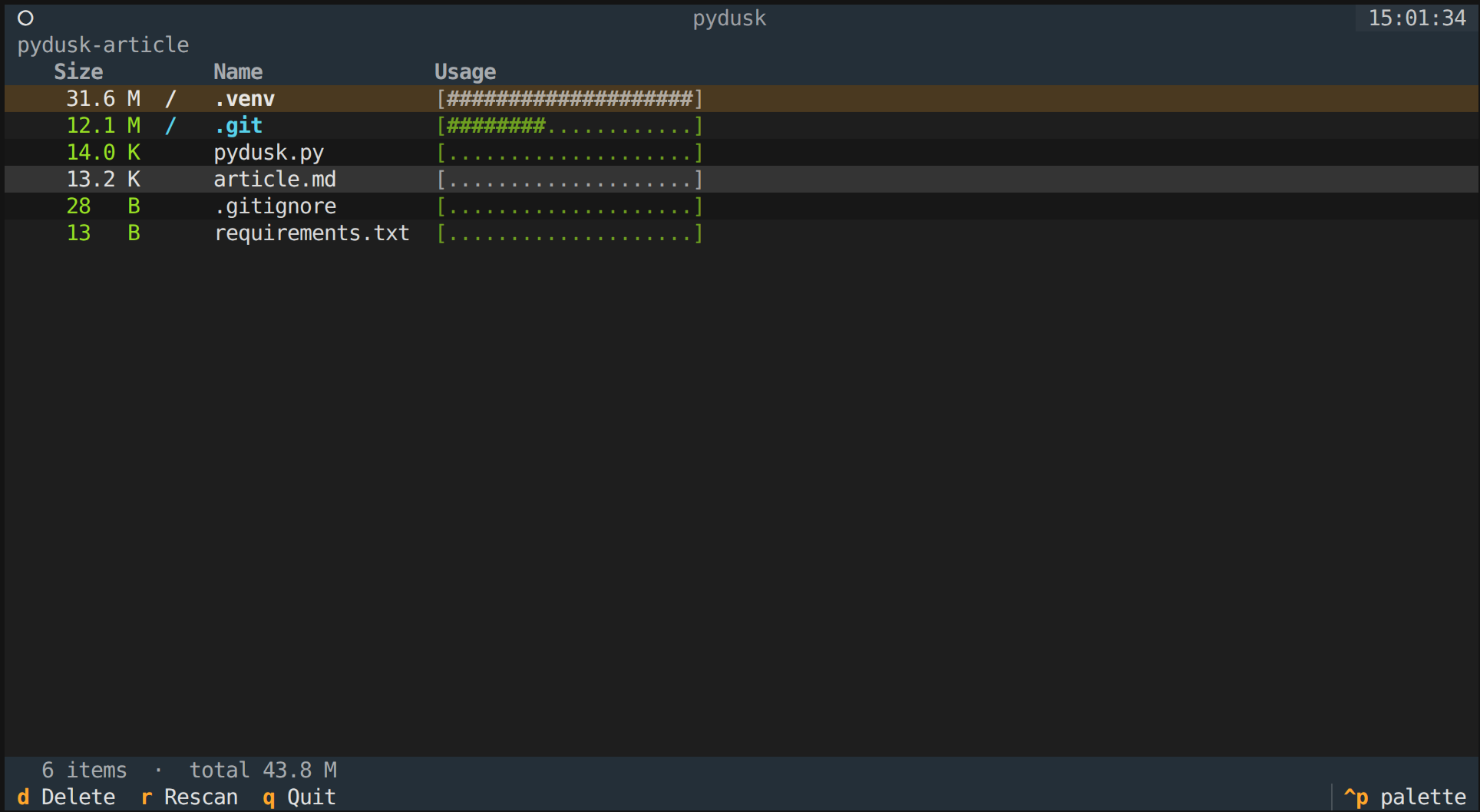
- Recursively scans a directory and calculates sizes
- Displays entries ranked largest-first with inline usage bars
- Lets you navigate the tree, enter sub-directories, and go back up
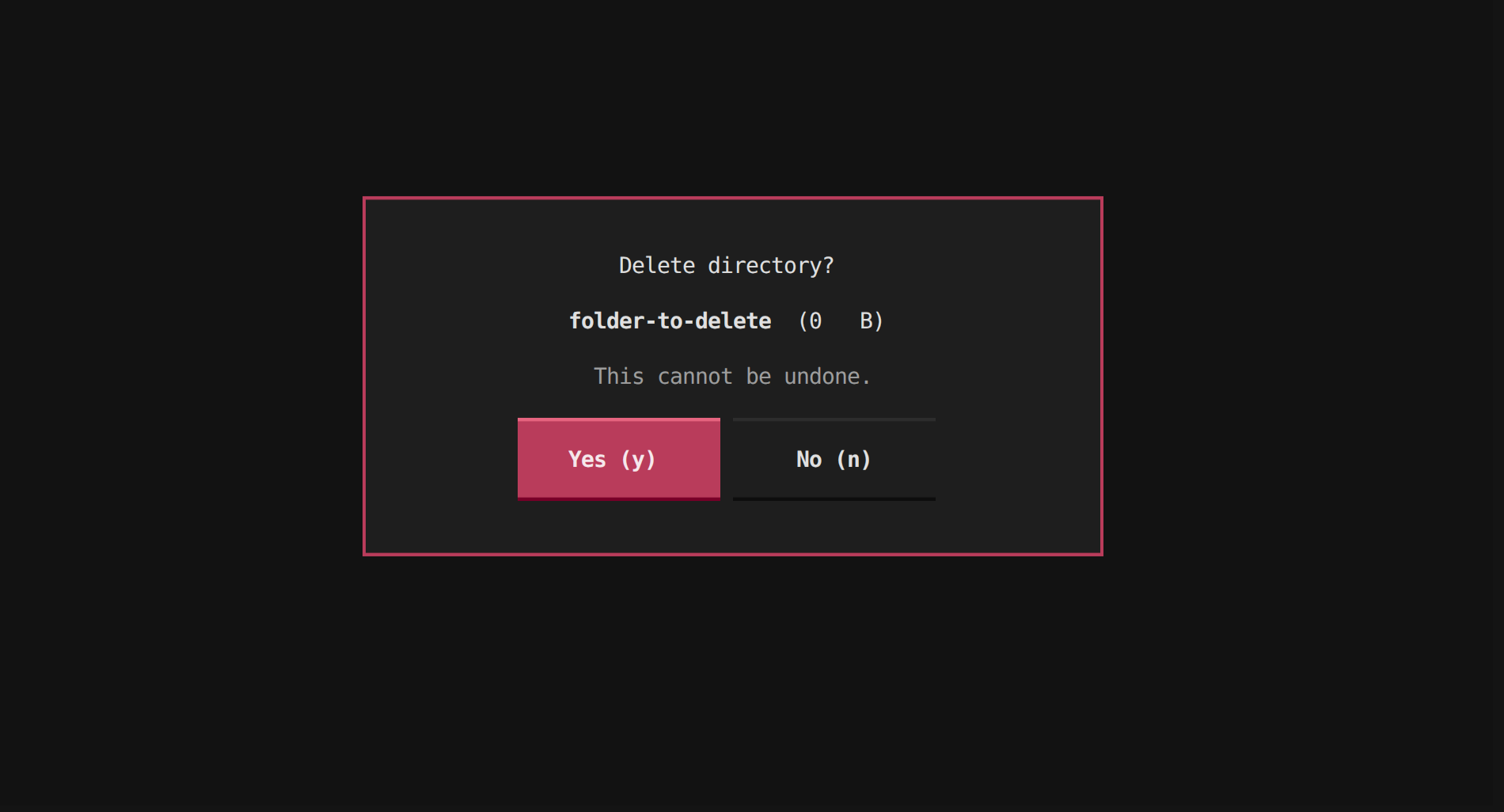
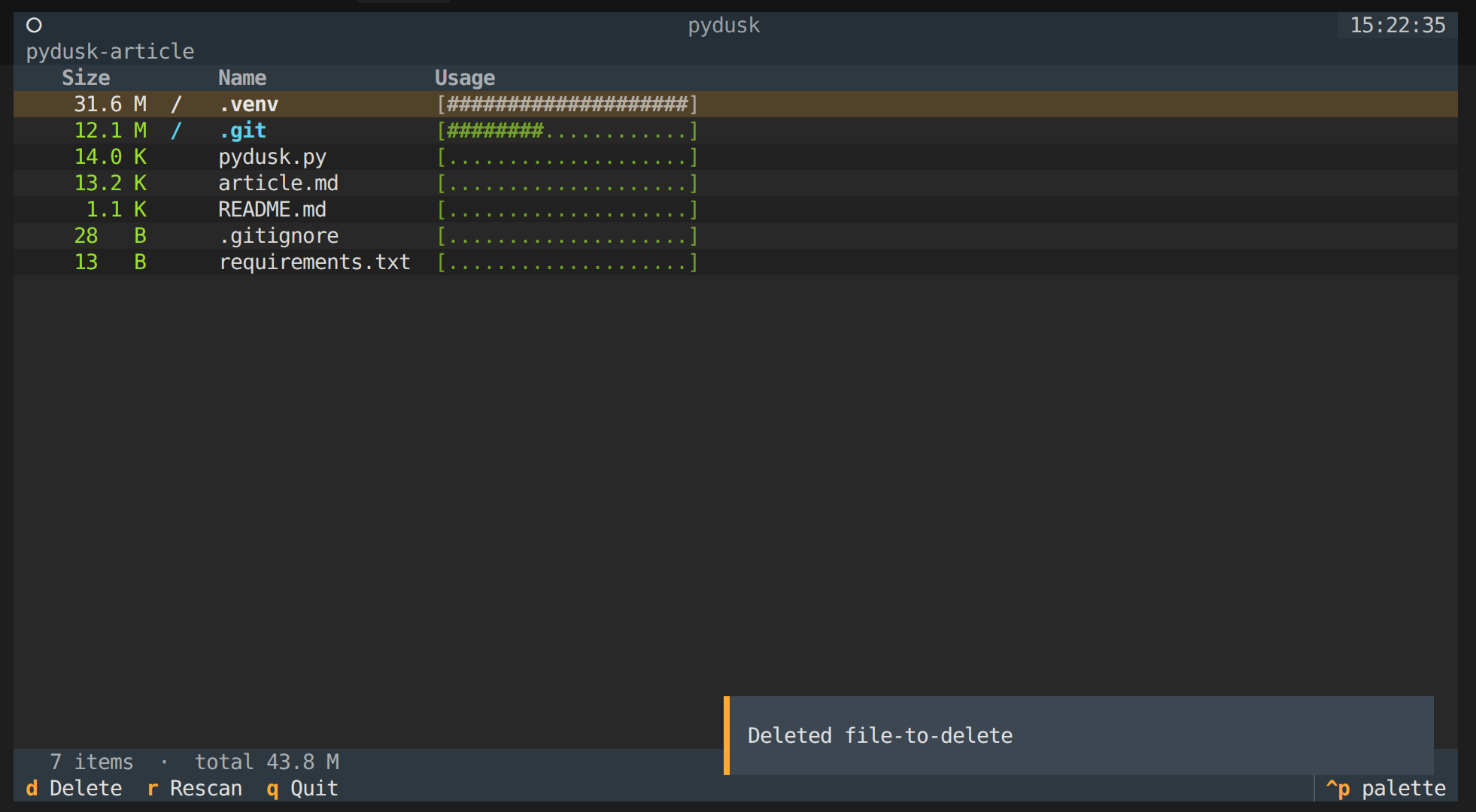
- Lets you delete files or directories with a confirmation prompt
- Runs as a CLI tool:
python pydusk.py ~/projects
Here's what it looks like in action:
Confirmation modal to delete a file/directory:
Notification after deleting a file/directory:
Architecture
pydusk is a single file, pydusk.py, with about 450 lines of Python.
It's split into three layers that are loosely coupled by design:
- the scanner knows nothing about the UI
- the UI knows nothing about the CLI
- and Typer glues everything together at the entry point.
That separation also means the scanner can be pulled out and used in other contexts without touching the TUI code.
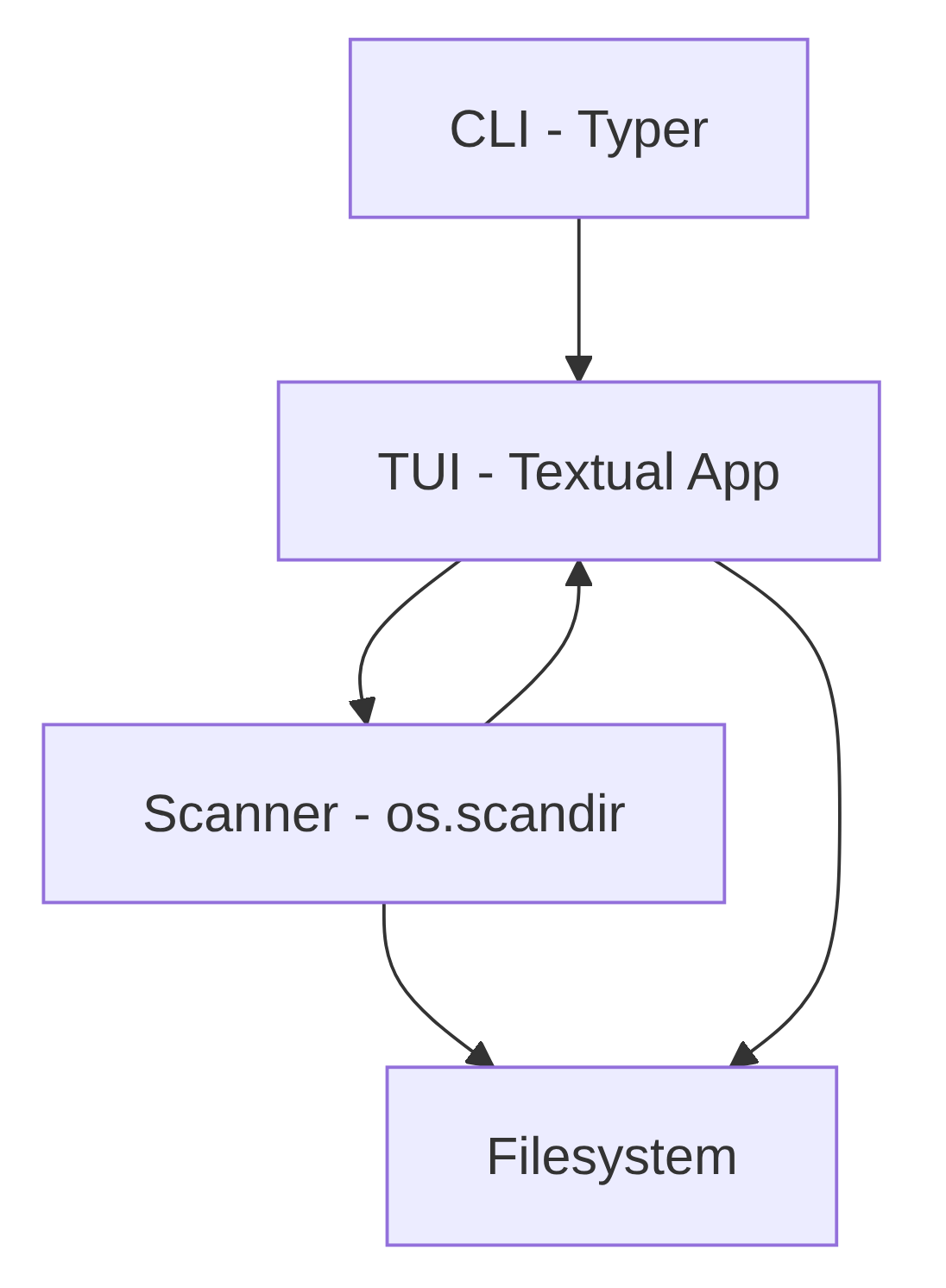
Scanner layer - pure stdlib (os, pathlib, dataclasses). The scan() function walks the filesystem using os.scandir, which is faster than os.walk because it retrieves file metadata in the same syscall as the directory listing. It builds a tree of DiskEntry dataclasses, sorted largest-first at every level. Symlinks are skipped to avoid loops and permission errors are swallowed silently so the tool works on any real system.
Background worker - the scanner runs inside a Textual @work(thread=True) worker, keeping the UI responsive during large scans. Once the scan finishes, call_from_thread() safely hands the result back to the main thread to update the display.
TUI layer - a textual.App subclass called DuskApp. It holds a navigation stack (a plain Python list of DiskEntry objects) and renders it into a DataTable widget on every state change. The delete flow uses a ModalScreen subclass that returns a bool via dismiss() - Textual's idiomatic pattern for confirmation dialogs. All keyboard shortcuts are declared as BINDINGS.
CLI layer - a typer command that accepts an optional path argument, validates that it exists and is a directory, and hands it to DuskApp. Nothing more.
The only dependencies needed, from the requirements.txt:
textual
typer
Step 1 - The Data Model and Scanner
Start by deciding what a "node" in your tree looks like. You want something that can represent a file or a directory, carry its computed size, and (for directories) hold children.
You represent every file and directory as a DiskEntry dataclass:
from dataclasses import dataclass, field
from pathlib import Path

@dataclass
class DiskEntry:
    path: Path
    size: int
    is_dir: bool
    children: list["DiskEntry"] = field(default_factory=list)

    @property
    def name(self) -> str:
        return self.path.name or str(self.path)
The children field uses field(default_factory=list) instead of a mutable default, if you're not sure why that distinction matters, I covered it in detail in Python Trick: Using dataclasses with field(default_factory=...).
The scanner uses os.scandir, which is faster than os.walk because it avoids extra stat calls, it gets file metadata in the same syscall as the directory listing.
The goal is to return a DiskEntry where children is a list of more DiskEntry objects, sorted largest-first.
You build the entire tree in one recursive function, skipping symlinks (to avoid loops) and swallowing permission errors (because real systems always have unreadable paths):
def scan(path: Path) -> DiskEntry:
    path = path.resolve()
    children: list[DiskEntry] = []
    try:
        with os.scandir(path) as it:
            for entry in it:
                try:
                    ep = Path(entry.path)
                    if entry.is_symlink():
                        size = entry.stat(follow_symlinks=False).st_size
                        children.append(DiskEntry(ep, size, False))
                    elif entry.is_dir(follow_symlinks=False):
                        children.append(scan(ep))
                    else:
                        size = entry.stat(follow_symlinks=False).st_size
                        children.append(DiskEntry(ep, size, False))
                except (PermissionError, OSError):
                    pass
    except (PermissionError, OSError):
        pass

    children.sort(key=lambda e: e.size, reverse=True)
    total = sum(c.size for c in children)
    return DiskEntry(path, total, True, children)
See the full implementation in pydusk.py.
Step 2 - Building the TUI with Textual
Now you need a UI that can render a list and react to input. Textual works well here because it gives you a layout system, widgets like DataTable, a built-in footer for keybindings, and a clean event/message model.
The layout is intentionally minimal: a header, a breadcrumb bar, a DataTable for the list, and a status line.
This keeps the "disk usage" part front-and-center while still giving you enough UI to navigate comfortably:
from textual.app import App, ComposeResult
from textual.widgets import DataTable, Footer, Header, Static

class DuskApp(App):
    TITLE = "pydusk"

    BINDINGS = [
        Binding("up", "move_up", "Up", show=True, priority=True),
        Binding("down", "move_down", "Down", show=True, priority=True),
        Binding("right,enter", "enter_dir", "Enter", show=True, priority=True),
        Binding("left,backspace", "go_up", "Up dir", show=True, priority=True),
        Binding("d", "delete",  "Delete", show=True),
        Binding("r", "rescan",  "Rescan", show=True),
        Binding("q", "quit",    "Quit",   show=True),
    ]

    def compose(self) -> ComposeResult:
        yield Header(show_clock=True)
        yield Static("", id="breadcrumb")
        yield DataTable(cursor_type="row", zebra_stripes=True)
        yield Static("Scanning…", id="status")
        yield Footer()
Navigation state is a plain Python list used as a stack.
Each time you enter a directory you append the DiskEntry to _stack; going up pops from it.
That makes breadcrumb rendering trivial (it's just the stack joined with /) and keeps your state model dead simple:
def action_enter_dir(self) -> None:
    row_key = self._selected_row_key()
    if row_key == "__parent__":
        self.action_go_up()
        return
    entry = self._entry_for_row_key(row_key)
    if entry and entry.is_dir:
        self._stack = self._stack + [entry]
        self._refresh_table()

def action_go_up(self) -> None:
    if len(self._stack) > 1:
        came_from = self._stack[-1]
        self._stack = self._stack[:-1]
        self._refresh_table()
        self._restore_cursor_to_row_key(str(came_from.path))
If you prefer, you can also make the list clickable.
DataTable posts a RowSelected message when you select a row (including via mouse click).
You can handle that message and reuse the same navigation actions: